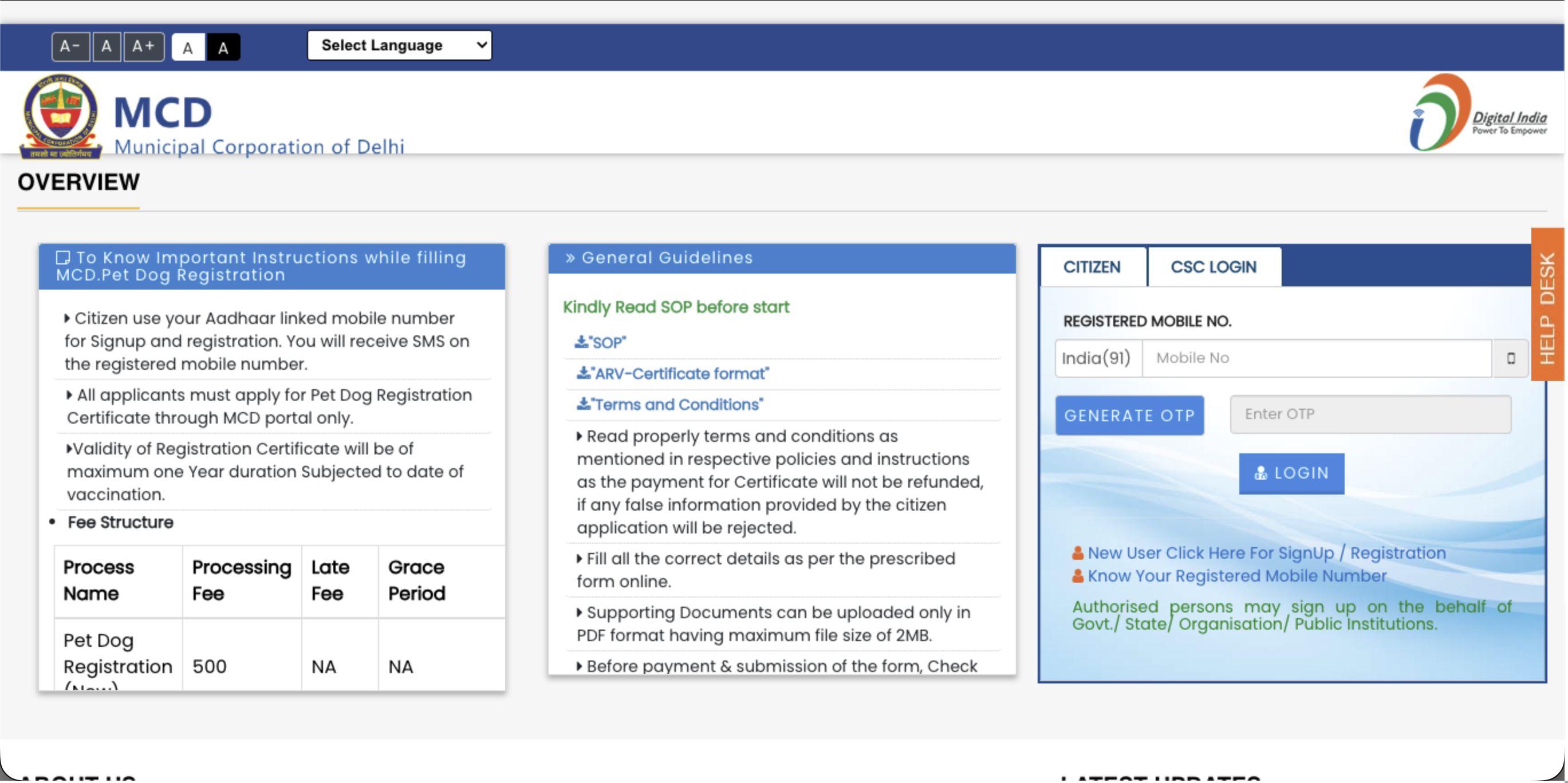
how to register your dog in Delhi through the official MCD online portal without paying middlemen. This complete step-by-step guide reveals how to bypass the strict 20KB photo limits, what veterinary details are required, how to upload self-attested PDFs, and how to digitize your final ₹500 MCD license into a scannable QR code using PetEYE.
1. Why You Shouldn't Pay for Registration Services
With the Municipal Corporation of Delhi (MCD) strictly enforcing mandatory dog registration, third-party services are charging up to ₹2,000 just to fill out an online form.
You do not need to pay them. However, the official MCD portal has a few extremely strict technical rules (like requiring image files to be under 20 KB) that cause most pet parents to give up. This guide gives you the exact cheat sheet to bypass those errors and secure your license directly in 10 minutes.
👉 Got your MCD license? Don't carry paper receipts around. Upload your government license and vaccination records to PetEYE to generate a free Digital ID. Next time a housing society or vet asks for proof, just show them your PetEYE QR code. Create your Free Digital ID Here
2. What You Need Before You Start
Do not open the portal until you have these files prepared on your computer. If you skip this, the website will reject your application:
- Your Mobile Number: Must be linked to your Aadhaar to receive the OTP.
- Your Exact Location: You need to know your MCD Zone, Ward, and Colony.
- Veterinary Details: You need your Vet’s Registration Number, Council Name, and Mobile Number (Ask your clinic for this before you start).
- The "20 KB" Photos: You need a photo of your dog, and a photo of you with your dog. ⚠️Crucial: They must be in JPG format and compressed to under 20 KB. Use a free online image compressor first.
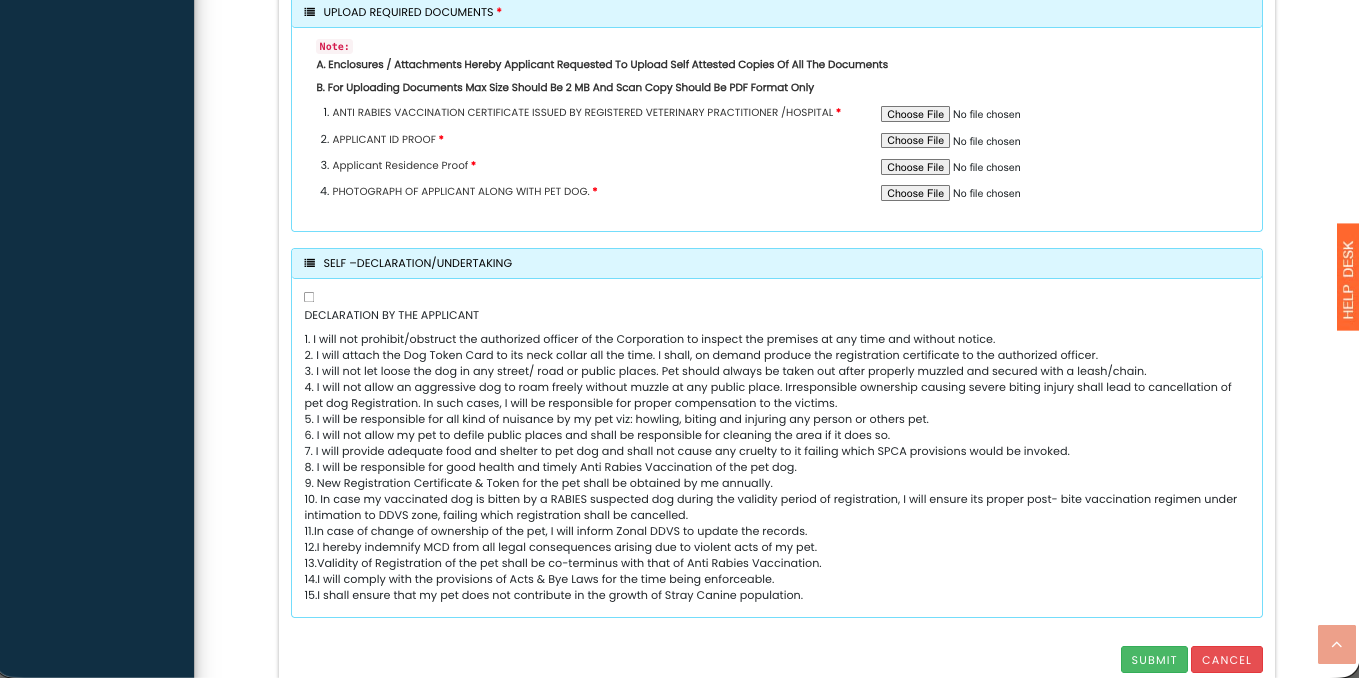
- The "2MB" PDFs: You need your ID Proof, Address Proof, and Anti-Rabies Vaccination (ARV) certificate. ⚠️Crucial: You must print these, sign them yourself ("Self-Attested"), and scan them as PDFs under 2MB.
3. Step-by-Step MCD Registration Guide
Step 1: The Citizen Login Visit the official MCD portal and select Citizen Login. If you are a new user, click "Sign Up" and use your Aadhaar-linked mobile number to generate an OTP and create your account.
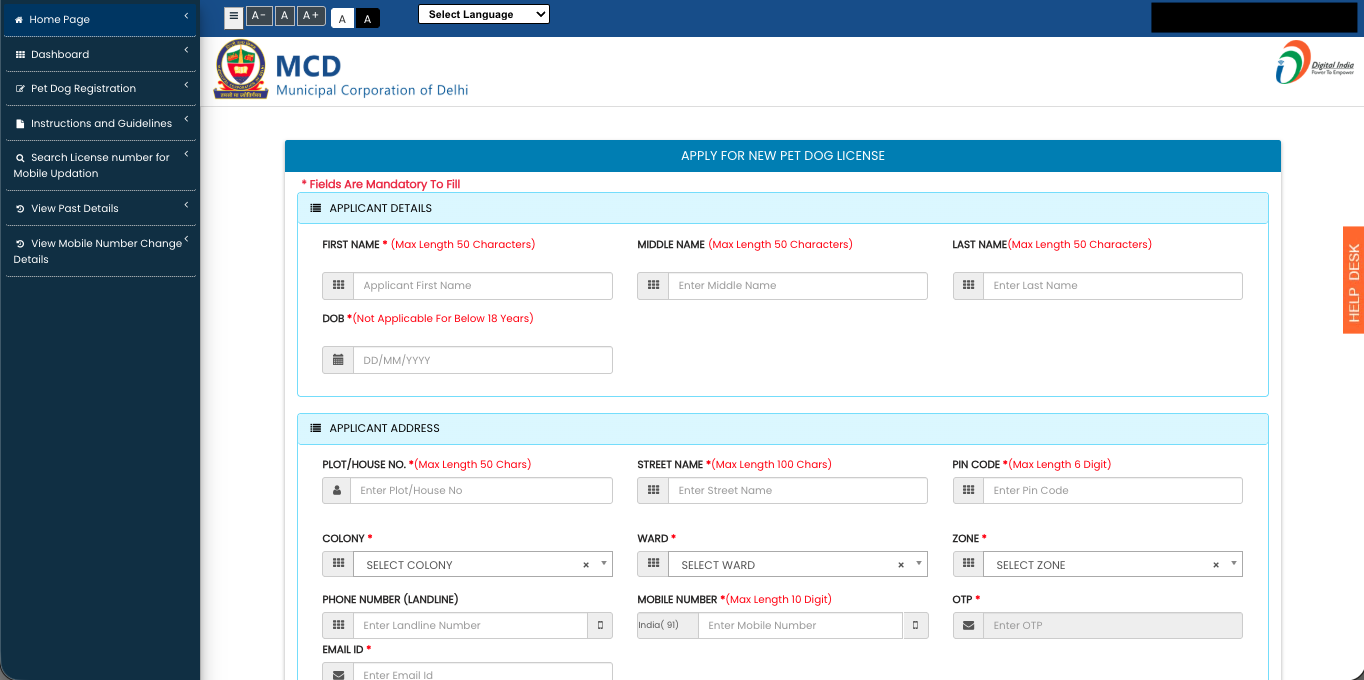
Step 2: Fill in Applicant Details Once logged in, navigate to the Apply for New Pet Dog License form. You will need to enter your First and Last Name, Date of Birth (you must be over 18), and full address. Use the dropdown menus to select your specific Zone, Ward, and Colony, and verify with a final OTP.
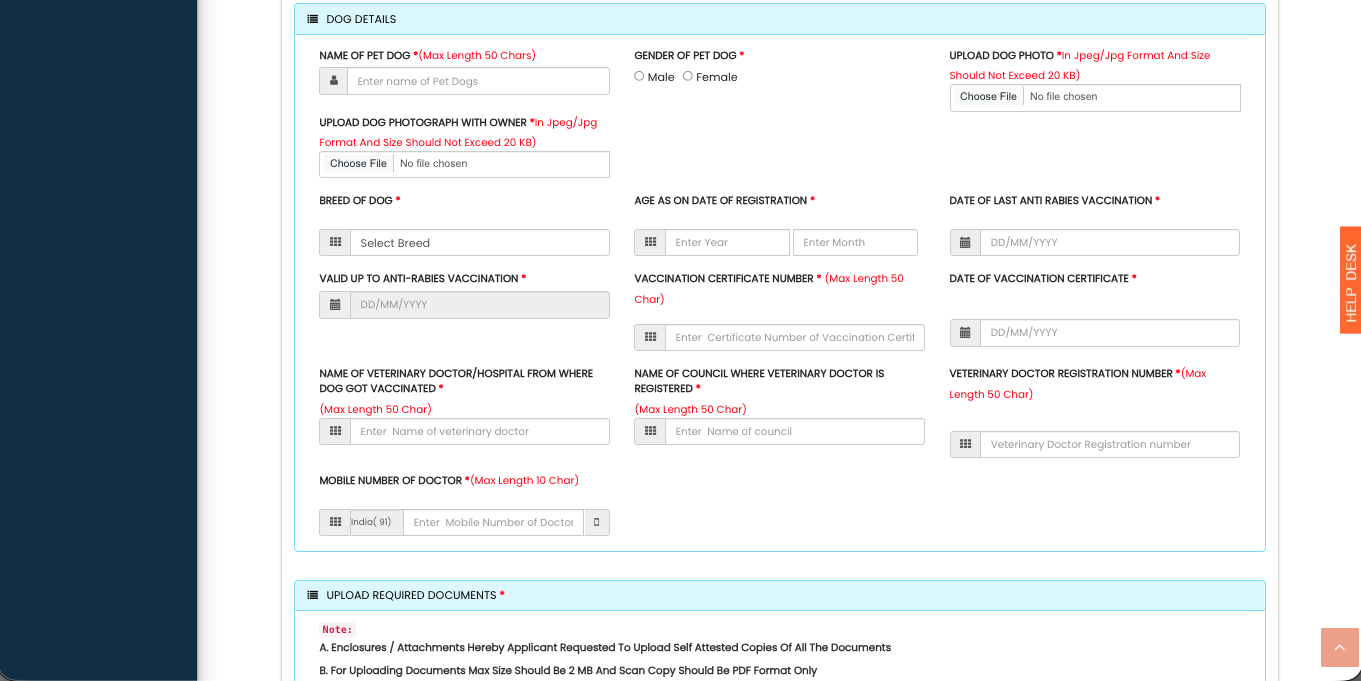
Step 4: Upload the Files This is where most people fail. In the Dog Details section, upload the two JPG photos (under 20 KB). In the Upload Required Documents section, upload your Self-Attested PDFs (ARV, ID, Address Proof) under 2MB.
Step 5: Undertaking & Payment Scroll down to the 15-point "Self-Declaration." Check the box agreeing to the municipal rules (like attaching the token to the collar and cleaning up in public). Hit Submit. You will be directed to pay the official MCD processing fee of ₹500. Once paid, you can download your official license!
4. What to do after you get your MCD License
A digital PDF from the MCD is great for the government, but it is a hassle in daily life.
When your apartment's Resident Welfare Association (RWA) or a boarding kennel asks for proof of your dog's vaccination and municipal registration, scrolling through your phone to find a PDF is frustrating.
The Solution: Create a free PetEYE account. Upload your new MCD license and your veterinary records into your PetEYE Digital Wallet. The system will automatically generate a single, tamper-proof QR Code pass on your phone. Whenever someone asks for proof that your dog is safe and legally registered in Delhi, just show them the QR code.
For policy inquiries, municipal collaboration discussions, or institutional whitepapers, contact KR PET EYE LLP at:corporate@krpeteyellp.com

Koushik Gaja
Managing Partner
Koushik Gaja is an entrepreneur, researcher, and author. An alumnus of the University of Glasgow, he currently directs his business ventures as the Managing Partner of KR PET EYE LLP. Alongside his entrepreneurial work, his research and writing focus on human behavior and reflection, leading to the publication of his books, Pause: What Happens Between Impulse and Action and The World Just Is.