Know how to register your pet in Hyderabad through official GHMC Pet Animal License portal. This complete step-by-step guide covers the required documents, the OTP, login process, image format rules, and how to instantly convert your paper license or digital pdf into a digital QR code using PetEYE for, "Verified ID".
1. Why You Shouldn't Pay for Registration Services
With the Greater Hyderabad Municipal Corporation (GHMC) strictly enforcing mandatory dog registration, many third-party services and middle-men are charging pet parents up to ₹2,000 just to file the paperwork.
👉 Got your GHMC license? Don't carry paper receipts around. Upload your government license and vaccination records to PetEYE to generate a free Digital ID. Next time a housing society or vet asks for proof, just show them your PetEYE QR code. Create your Free Digital ID Here
Note: Even if you reside in surrounding municipalities (CMC, MMC, and Other ULBs of Telanagana) outside the immediate city center, you must still use this centralized GHMC portal for your license.
2. What You Need Before You Start
Before opening the portal, make sure you have these ready on your phone or computer:
3. Step-by-step GHMC Registration Guide
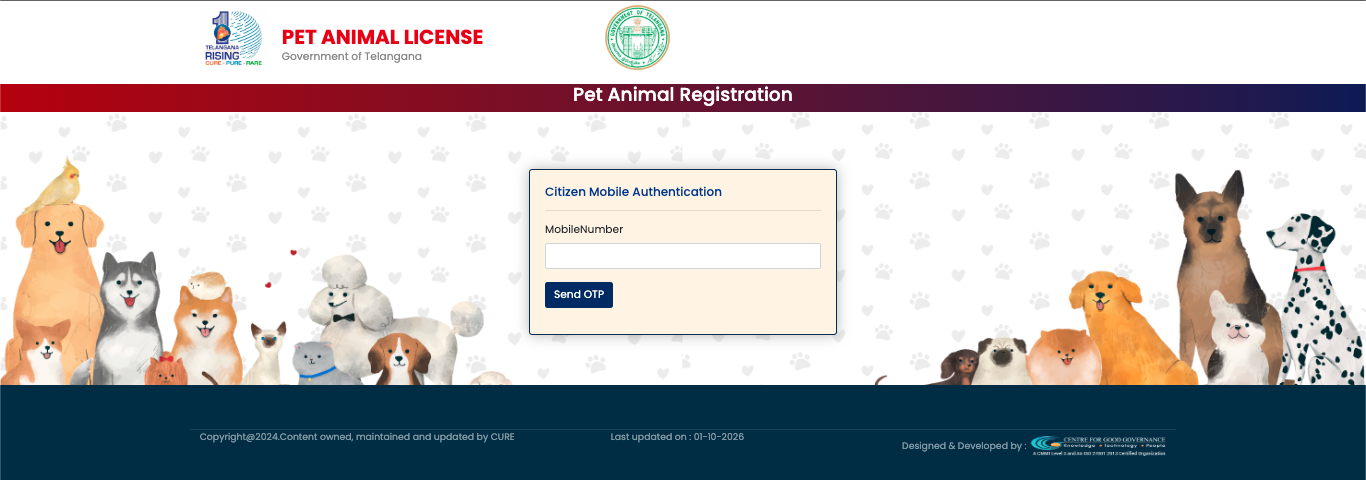
Step 1 (The Citizen Login): Visit the official Telangana Pet Animal License portal (petanimal.ghmc.gov.in). On the home screen, you will see a box for "Citizen Mobile Authentication". Enter your mobile number and click "Send OTP" to securely log in.
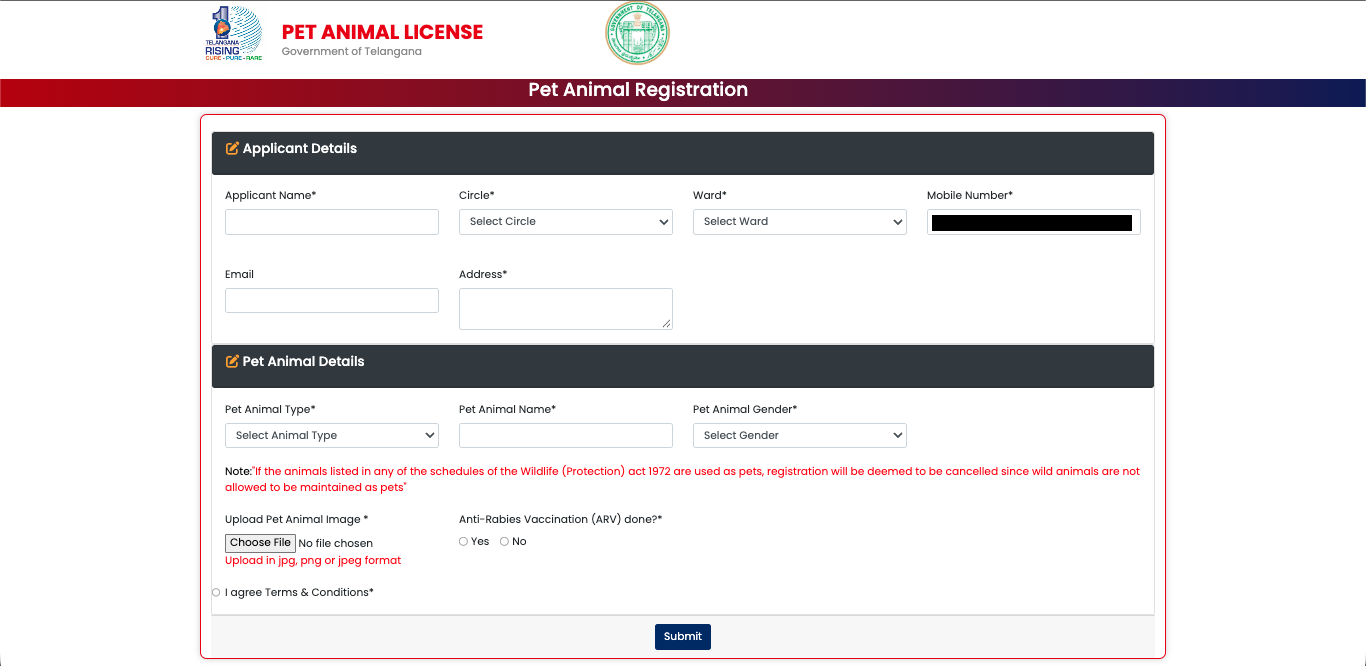
Step 2 (Fill in Applicant Details): Once logged in, you will see a simple form. Enter your Name, Email, and Address. Use the dropdown menus to select your specific Circle and Ward in Hyderabad.
Step 3 (Enter Pet Details): In the second half of the form, select your Pet Animal Type (Dog/Cat), Name, and Gender.
(⚠️Note: The government strictly enforces the Wildlife Protection Act of 1972, meaning you cannot register exotic or wild animals as domestic pets).
Step 4: Uploads & Vaccination
Click "Choose File" to upload the image of your pet. Again, ensure it is a .jpg or .png file. Below the image upload, select "Yes" under the Anti-Rabies Vaccination (ARV) done? section.
Step 5: Submit & Pay Check the "I agree to Terms & Conditions" box at the bottom left and hit Submit. There is no fee, the process is 100% free. Once approved, the government will automatically send your official Pet License PDF directly to your registered Email Address or Phone Number.
4. What to do after you get your GHMC License?
A digital PDF or a printed piece of paper from the GHMC is great for the government, but it is a hassle in daily life.
When your apartment's Resident Welfare Association (RWA) or a boarding kennel asks for proof of your dog's vaccination and municipal registration, scrolling through your phone to find a PDF is frustrating.
The Solution: Create a free PetEYE account. Upload your new GHMC license and your veterinary records into your PetEYE Digital Wallet. The system will automatically generate a single, tamper-proof QR Code pass on your phone. Whenever someone asks for proof that your dog is safe and legally registered in Hyderabad, just show them the QR code.
For policy inquiries, municipal collaboration discussions, or institutional whitepapers, contact KR PET EYE LLP at:corporate@krpeteyellp.com

Koushik Gaja
Managing Partner
Koushik Gaja is an entrepreneur, researcher, and author. An alumnus of the University of Glasgow, he currently directs his business ventures as the Managing Partner of KR PET EYE LLP. Alongside his entrepreneurial work, his research and writing focus on human behavior and reflection, leading to the publication of his books, Pause: What Happens Between Impulse and Action and The World Just Is.